
Best Offline Text-to-Speech Apps in 2026 (No WiFi)
The best offline text-to-speech apps in 2026 — convert your EPUB or PDF to audio without an internet connection. Tested for students, commuters, and English learners who need no-WiFi listening.

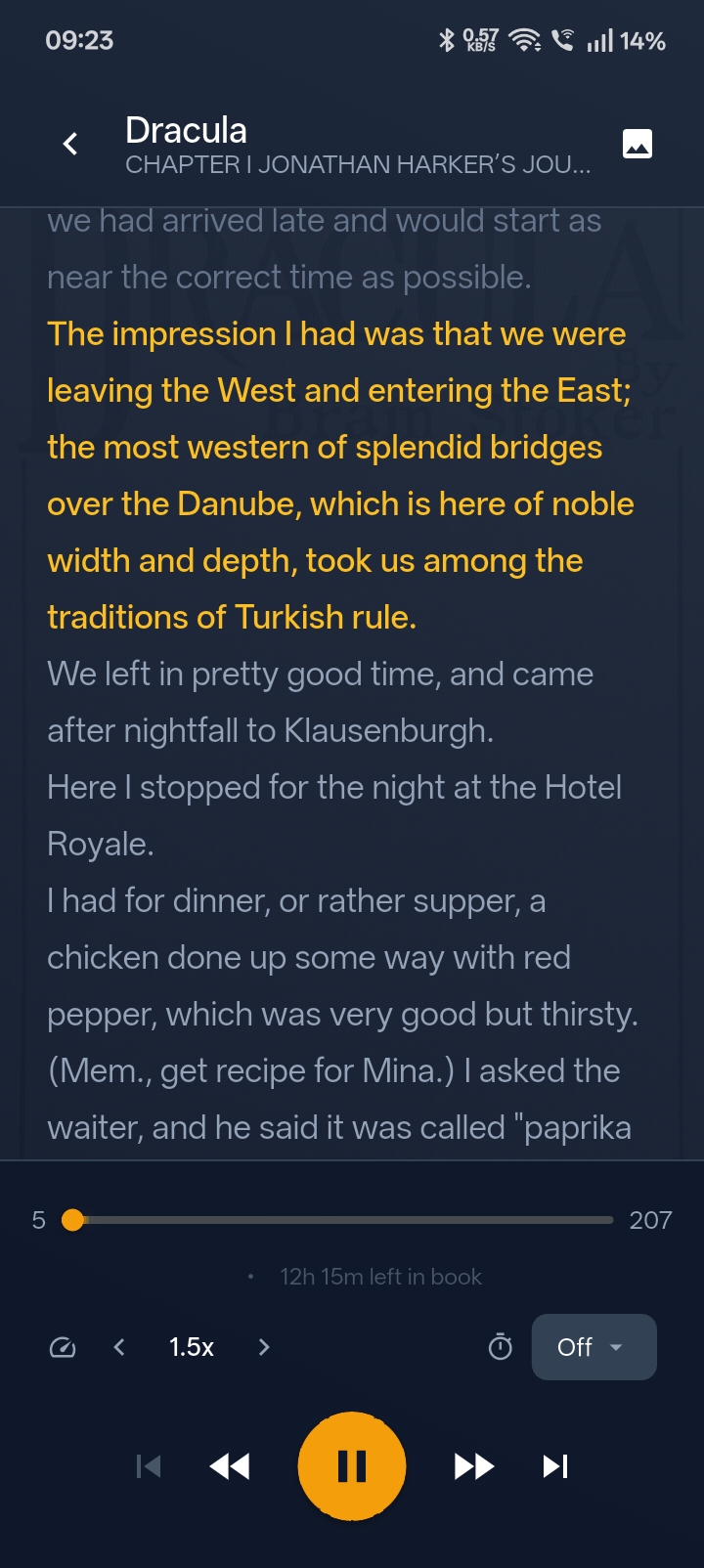
What is the best offline text-to-speech app?
For fully offline use — no internet at any stage — Eist is the strongest free option. It converts EPUB and PDF files to natural-sounding audio using an AI model stored entirely on your phone. Nothing is uploaded. Nothing streams. You can use it in airplane mode, in a subway tunnel, or anywhere with no data.
Why offline text-to-speech matters more than ever
Most TTS apps in 2026 are cloud-based: you send your text to a server, the server generates audio, and the audio comes back to your phone. That works fine at home. It breaks the moment you lose signal.
Offline TTS runs the AI voice model on your device. No signal means no interruption. That matters most for:
- Students who study in libraries, on campus transit, or in areas with spotty campus WiFi
- Commuters on subways and metro systems in Seoul, Tokyo, Bangkok, Istanbul, and any city with tunnels
- Travellers in airplane mode during flights, or using foreign SIMs with limited data
- Privacy-conscious readers who don’t want their documents uploaded to a third-party server
- English learners in APAC who want to practise English listening without burning mobile data
The difference in experience is stark: a cloud app pauses, buffers, or throws an error when signal drops. An offline app keeps playing as if nothing happened.
The best offline TTS apps in 2026
1. Eist — best free offline TTS for EPUB and PDF
Free. No subscription. Fully on-device. Android and iOS.
Eist downloads a compact AI voice model to your phone on first launch, then operates entirely offline from that point forward. Import an EPUB or PDF, and Eist generates audio locally — no server, no upload, no account.
What sets it apart for offline use:
- Complete offline operation. The TTS model is on your phone. Signal has no effect on playback quality or availability.
- EPUB and PDF support. Load ebooks, textbooks, research papers, or any document you already own.
- No file size limit. Textbooks that are hundreds of pages process fine.
- Natural AI voice. The on-device voice quality in 2026 is markedly better than the robotic voices of earlier offline TTS apps.
- Chapter navigation. Jump between chapters directly. Essential for textbooks where you need to find a specific section.
- Speed control. 0.5× to 3× playback. Students often listen at 1.5×–2× to cover more material in less time.
- Position memory. Eist saves exactly where you stopped. Resume after a tunnel or a commute and it picks up mid-sentence.
One honest limitation: Eist narrates English-language text. If you have books or documents in Korean, Japanese, Turkish, or Thai, the English TTS engine won’t sound right. For English books — or for English learners using Eist to practise listening — it works well.
How to import your first book into Eist →
2. Apple Books (built-in TTS) — best for iPhone users with system voices installed
Free. Built into iOS. Requires voice download in Settings.
iOS includes an “Spoken Content” feature that can read Apple Books aloud using system voices. If you download a voice to your device in Settings → Accessibility → Spoken Content, it works offline.
The catch: Apple Books reads one page at a time, not the whole book. It also uses system voices rather than purpose-built AI narration, so the reading experience isn’t as fluid as a dedicated app. And it only works for books in Apple’s ecosystem — you can’t import an arbitrary EPUB or PDF.
Good for: Apple Books purchases you want to occasionally hear read aloud. Not good for: EPUB files from other sources, or seamless chapter-by-chapter listening.
3. Android TTS + Google Play Books — best for Android users already in the Google ecosystem
Free. Built into Android. Requires offline voice download.
Android devices include a system text-to-speech engine. Google Play Books has a “Read Aloud” feature that uses this engine — and if you download an offline voice pack in Settings, it works without internet.
Limitations are similar to Apple Books: it’s tied to the Google Play Books catalogue, voice quality depends on the system engine, and EPUB files from outside Google’s ecosystem aren’t easy to import.
4. Voice Dream Reader — best for accessibility-focused users (iOS)
$19.99 one-time. iOS only. Includes offline Acapela voices.
Voice Dream Reader has long been the premium offline TTS option for accessibility use cases. It bundles multiple offline voice options (including Acapela voices licensed for offline use), supports EPUB and PDF, and has a rich accessibility feature set designed for users with dyslexia or visual impairments.
The one-time price is the main differentiator — no subscription. But at $19.99 (iOS only), it costs money upfront. Eist covers the same offline EPUB/PDF listening use case for free if you don’t need Voice Dream’s accessibility-specific features.
Eist vs Voice Dream Reader — full comparison →
5. Moon+ Reader Pro — best offline ebook reader with basic TTS (Android)
$6.99 one-time. Android only. Uses system TTS voices.
Moon+ Reader is primarily an ebook reader, not a TTS app. Its “Read Aloud” feature uses the Android system TTS engine, which supports offline voices. If you’ve already downloaded an offline voice in Android Settings, Moon+ reads your EPUB files aloud without internet.
Voice quality depends entirely on which Android system voice you’ve installed — it’s not purpose-built AI narration. But for Android users who want a single app for both reading and listening, Moon+ Pro covers both offline.
Which offline TTS app should you pick?
| Need | Best offline choice |
|---|---|
| Listen to my own EPUB/PDF files, free | Eist |
| iPhone + Apple Books library | Apple Books built-in TTS |
| Android + Google Play library | Google Play Books Read Aloud |
| Accessibility features, willing to pay | Voice Dream Reader (iOS) |
| Combined reader + TTS, Android | Moon+ Reader Pro |
For most people arriving at this page — especially students who want to listen to textbooks or English learners who want free offline narration — Eist is the answer. It handles EPUB and PDF, it’s free, and the voice quality is genuinely good without requiring a subscription.
How does offline TTS work?
How is offline text-to-speech different from cloud TTS?
Cloud TTS sends your text to a server over the internet, the server converts it to audio, and streams or returns audio to your device. Offline TTS stores the voice synthesis model on your device and converts text locally. Offline TTS works without any internet connection but requires downloading the model (usually 200–800 MB) in advance.
Modern on-device AI voice models — like the one Eist uses — have closed most of the quality gap with cloud voices. In 2023, offline voices sounded noticeably robotic. In 2026, the difference is much smaller.
Does offline TTS drain more battery than cloud streaming?
Offline TTS uses more CPU than passively streaming a pre-generated audio file, because the synthesis is happening locally. However, it avoids the network radio cycles that streaming uses — which is a significant battery drain on mobile.
Net result: offline TTS battery usage is roughly similar to streaming for most users, sometimes better (no network radio), sometimes slightly worse (more CPU). The practical difference across a two-hour commute is small — under 5% either way on modern devices.
What file formats work with offline TTS apps?
It depends on the app:
- Eist: EPUB and PDF
- Apple Books: Books from the Apple Books store; some EPUB imports
- Google Play Books: PDF and EPUB (via “Upload to library” — but this requires internet for the upload step)
- Voice Dream Reader: EPUB, PDF, DOCX, TXT, and more
- Moon+ Reader Pro: EPUB, MOBI, PDF, TXT, and most ebook formats
If you regularly work with PDFs from university or PDFs sent by email, Eist or Voice Dream Reader are the most capable options.
How to set up Eist for offline use
How do I make Eist work fully offline?
Install Eist from the App Store or Google Play, then import one EPUB or PDF while connected to WiFi. Eist downloads its AI voice model on first launch (you only do this once). After that, no internet is required — not for loading books, not for playback, not for anything.
Step-by-step:
- Download Eist from the App Store or Google Play.
- Open Eist over WiFi — it downloads the voice model automatically in the background.
- Import an EPUB or PDF (from your files app, email, cloud storage, etc.).
- Press play. Switch to airplane mode. Audio keeps playing.
After step 3, the book is processed and stored locally. You can go underground, board a flight, or switch off mobile data — Eist won’t notice.
Where to find EPUB and PDF books to listen to offline
If you don’t have your own books, free legal sources include:
- Project Gutenberg — 70,000+ public domain books in EPUB format. Completely free. Classics, fiction, non-fiction.
- Standard Ebooks — Beautifully formatted public domain EPUBs. Better typesetting than raw Project Gutenberg files.
- Your university library — Many academic libraries offer EPUB or PDF loans through apps like Libby or institutional portals.
- Books you already own — If you have a Kindle book, see how to export EPUB from Kindle.
Where to find free ebooks legally →
For English learners: using offline TTS to practise listening
One underrated use case for offline TTS: English listening practice on public transit.
If you commute on metro or subway in Seoul, Tokyo, Bangkok, or Istanbul, you likely spend 40–90 minutes underground each day. That time is usually wasted on social media — or silent — because streaming apps don’t work underground.
With Eist loaded with English books (free from Project Gutenberg), you get daily structured English listening practice without spending a won, yen, baht, or lira. The on-device voice is consistent, the speed is adjustable, and the content is whatever English text you choose.
Intermediate English learners often start with simpler prose — short stories, classic novels, or graded readers. Classic books for intermediate English learners →
Related reading
Related reading
- List Best Audiobook App for Commuters in 2026 (Works Offline)
- Tutorial How to Convert PDF to Audio Without Uploading the File
- Comparison Offline vs Cloud Text-to-Speech: Which Is Better in 2026?
- Guide How to Listen to Academic PDFs for Free (Student Guide)
- Deep Dive Best Free Text-to-Speech Apps 2026: On-Device, No Subscription